
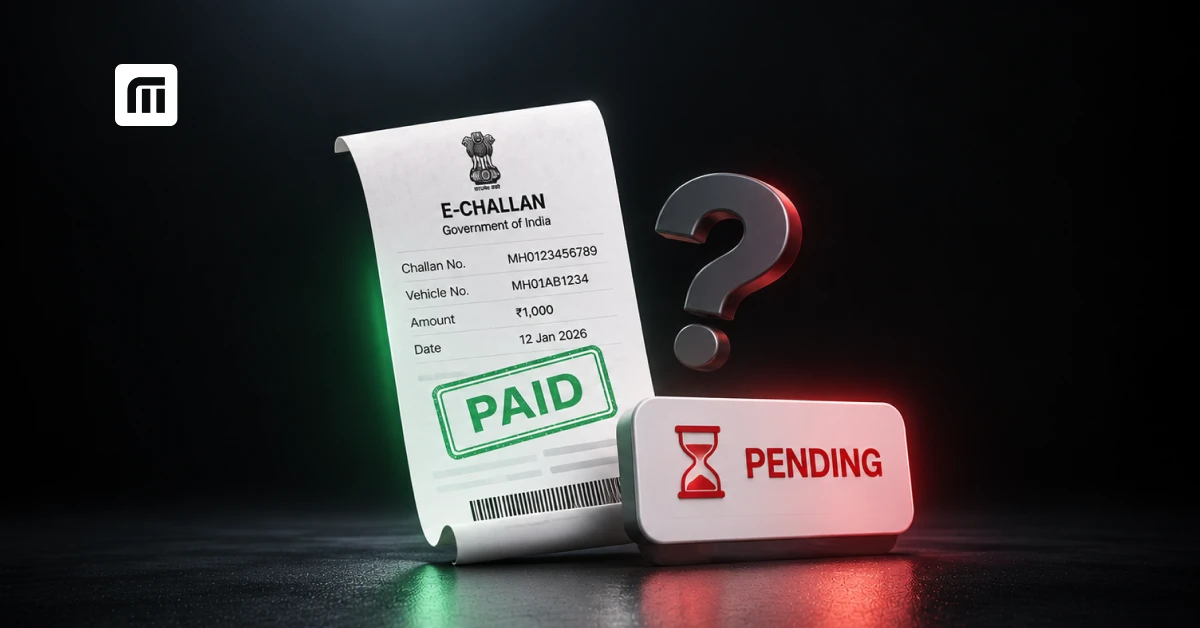
If your challan is paid but still shows pending, the payment has not necessarily failed. The bank may have debited you while the confirmation has not yet reached the traffic department's system.
Wait a few hours, check for a payment receipt, verify the transaction status, and contact the portal's support if it is still pending after 24 to 48 hours. Do not pay again until you have confirmed the first payment.
You paid your traffic challan online and the money left your account, so it should be settled. But when you check again, it still says "Pending." This is confusing, especially when you have already paid.
Sometimes the payment goes through but the status takes longer to update. In other cases, a failed transaction, a payment gateway issue or wrong payment details is the cause.
Here is how to check whether your payment was successful, find your receipt, and fix a pending status without risking a second payment. You can also look up your challan status any time on MyMotor's challan check page.
Why Is My Challan Still Showing Pending After Payment?
This is quite common. A challan payment not updating on the portal can happen for several reasons. The bank may have processed your payment, but the confirmation may not have reached the traffic department's system. Pending challans are a large pool: according to data submitted to the Supreme Court and reported in October 2026, about ₹49,194 crore in e-challans have been issued across India, with roughly ₹23,019 crore still unpaid. A record that stays "pending" after you paid it can easily get lost in that volume, which is why you should keep proof.
How Long Does It Take for a Paid Challan to Update?
A successful online payment may reflect shortly after your transaction, but some take longer because of processing or system delays. If your challan still shows pending:
- Wait a few hours and check again.
- Look for a successful payment confirmation or receipt.
- Check your transaction status on the payment portal.
- If it is still pending after 24 to 48 hours, contact the portal's support team.
There is no single guaranteed update time for every state or payment platform. It depends on the system processing your challan.
Can Bank Delays or Payment Gateway Timeouts Cause a Pending Status?
Yes. Sometimes your bank deducts the amount, but the payment gateway does not send a successful confirmation to the challan portal. This can happen because of:
- A payment gateway timeout
- A temporary server or network issue
- A delay in confirmation between the bank and the payment portal
- An interrupted transaction
For example, you pay ₹1,000 through UPI and your banking app shows success, but the challan portal still says "Pending." That does not mean your challan is cleared. A successful bank transfer and a successfully recorded challan payment are not the same thing. Check your transaction details before making another payment, or you might end up paying twice.
Does a Court Challan or Virtual Court Case Update Differently?
Yes. A challan transferred to court may follow a different payment and status-update process. If your challan has been sent to a Virtual Court, check its status on the Virtual Courts portal instead of relying only on the regular e-Challan website. Court cases can show different statuses depending on whether payment is recorded, the case is disposed of, or further court action is needed. If you paid through the court system, keep the receipt and verify the case status there.
Could a Wrong Challan Number or Vehicle Number Be the Reason?
It is possible. If you enter a wrong challan or registration number, you may be looking at a different record, or not finding your payment at all. Before assuming the payment failed, verify:
- The challan number on your payment receipt
- The vehicle registration number
- The amount paid
- The date of the transaction
Also check whether your vehicle has more than one challan. Paying one challan does not clear the others.
How Do You Verify Whether Your Challan Payment Went Through?
The easiest way is to check the challan's status on the official portal and look for a payment receipt. Searches for "pending challan status" alone run to about 1,500 a month in India, so you are far from the only person doing this.
How Do You Check Challan Status by Vehicle Number or Challan Number?
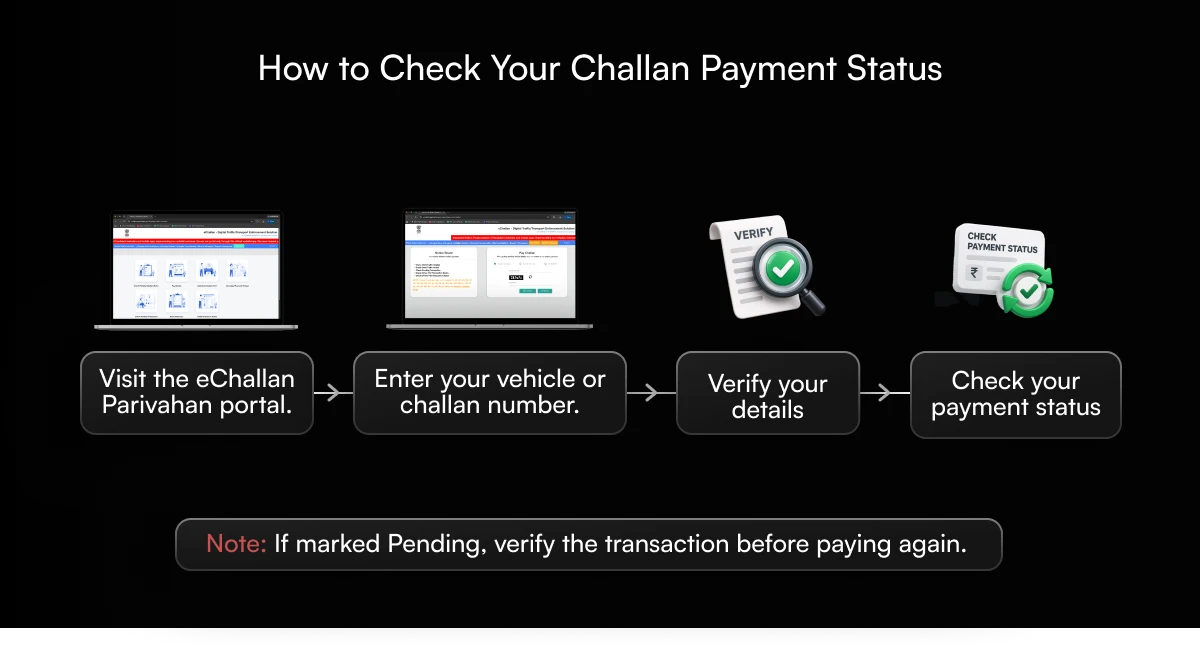
You can check your payment status on the government's e-Challan portal:
- Visit the eChallan Parivahan website.
- Open the challan details or status-checking section.
- Enter your vehicle number or challan number, as the portal supports.
- Complete the required verification.
- Find the relevant challan and check its current status.
- If it shows "Paid" or "Disposed", check the payment details to confirm it is the correct record.
If it still shows "Pending", look for a transaction-status or payment verification option before trying again. For a quicker check across your vehicle, you can also search your vehicle number on MyMotor. If you also need the evidence image for a challan, see our guide to checking a challan with photo.
How Do You Download Your Challan Payment Receipt?
Your payment receipt is the key proof that your payment was recorded. To find it:
- Open the portal where you made the payment.
- Search for your challan or transaction.
- Check whether the payment is marked successful.
- Open the receipt or payment details, if available.
- Download or save a copy.
If you paid through a state traffic portal, get the receipt from that same website. Keep both the challan receipt and your bank transaction confirmation, because they help a lot if the payment status is disputed later.
What Is the Difference Between "Pending", "Disposed" and "Paid" Status?
These terms look similar, but they do not always mean the same thing.
| Status | What it usually means |
|---|---|
| Pending | The challan remains outstanding, or its resolution has not been recorded. |
| Paid | Payment has been successfully recorded against the challan. |
| Disposed | The challan or case has been closed or resolved. This may include payment or another form of disposal. |
A "Disposed" status does not always mean the fine was paid. In court cases, it can mean the case was resolved through a legal process. Always check the payment details or case order for confirmation.
Which Portal Should You Check for Your State's Challans?
The right portal depends on where the challan was issued and whether it has moved to court.
| Portal | When to Use It |
|---|---|
| Parivahan e-Challan | Check and pay challans available through the national e-Challan system. |
| State traffic police or transport portal | Check challans and payments managed through a state-specific system. |
| Virtual Courts | Check eligible challans transferred to the Virtual Court system. |
Some state portals have separate payment and grievance processes. Use the portal shown on your official challan notice, or reach the service through your state's official government website. The Virtual Court route matters more than most people expect: "challan pending in virtual court" draws about 1,400 searches a month in India.
What Should You Do If Money Was Deducted but the Challan Still Shows Pending?
Seeing the amount deducted but the status not updated is worrying, but paying again immediately is not the best fix. First check whether the original transaction succeeded. If your bank confirms the payment but the challan portal does not, the issue may be with transaction confirmation or reconciliation.
Which Documents and Details Should You Keep Ready?
Before contacting support, collect:
- Challan number: identifies your traffic violation
- Vehicle registration number: helps locate the challan
- Transaction ID or UTR: helps trace your payment
- Bank SMS or statement: shows the debit from your account
- Payment screenshot: shows the amount, date and status
- Payment receipt: confirms the challan payment, if one was generated
Having these ready makes it much easier for the payment provider or traffic department to investigate.
When Should You Contact Your Bank Instead of the Traffic Department?
Contact your bank or payment app when:
- Money was deducted but the transaction shows failure or processing
- You suspect a duplicate debit
- The payment was reversed or refunded wrongly
- You need to trace a transaction using its reference number
Contact the traffic department or challan portal support when:
- The payment is confirmed successful on the portal but the challan remains pending
- You have a challan receipt but the status has not changed
- The payment appears linked to the wrong challan
- You need the challan record corrected
If your gateway shows success but the department has not recorded it, you may need help from both sides.
How Do You Get a Refund for a Failed or Double Challan Payment?
If your payment failed but money was deducted, first check whether the amount is being reversed automatically. For failed transactions, the bank or payment provider may start a refund after reconciliation.
If you paid the same challan twice:
- Save proof of both payments.
- Note both transaction IDs and the challan number.
- Check whether both payments were recorded.
- Raise a refund request with the portal or department that collected the payment.
- Contact your bank or payment provider if a transaction fails or the refund is not processed.
Refund eligibility and timelines depend on the payment system and the authority. Avoid making a third payment while the earlier ones are being investigated.
How Do You Fix a Challan That Is Still Pending After Payment?
If you have confirmed the payment but the challan is not cleared, the next step is to report the mismatch to the relevant authority.
How Do You Raise a Grievance With the Traffic Police or Transport Department?
Start with the portal where the challan was issued or paid:
- Visit the official e-Challan or state traffic portal.
- Find its grievance, helpdesk or contact-support section.
- Select the relevant payment or challan issue, if offered.
- Enter your challan number, vehicle number and transaction details.
- Upload supporting proof where the portal allows it.
- Save the complaint or grievance reference number.
Describe the issue clearly, for example: "I paid challan number XXXXX on [date], and the amount was deducted successfully. However, the portal still shows the challan as pending. Please verify the transaction and update the challan status." If your challan came through a separate state system, contact that state's designated traffic or transport authority.
Should You Visit the Traffic Office or Court in Person?
Not always. Many payment issues can be reported online or through the helpdesk. An in-person visit may be needed if:
- The authority asks for physical verification
- Your online complaint stays unresolved
- The challan has been transferred to court and needs a hearing or other action
- There is a dispute over wrong challan details
For court challans, follow the instructions on the court's order or the official case record.
How Do You Prove Payment If the Portal Still Shows Unpaid?
The strongest proof is an official payment receipt linked to the correct challan. Keep it together with:
- Your bank transaction confirmation
- The payment reference number
- The payment date and amount
- Your challan number and vehicle details
Submit these when raising a complaint. A bank debit confirmation alone helps trace the payment, but it may not prove the challan authority received it, so ask the authority to verify and reconcile the transaction.
What Happens If a Paid Challan Stays Pending Too Long?
A payment-status mismatch needs resolving even if you have paid. Until the record is updated, the system may keep showing an outstanding violation. Depending on the applicable rules and stage of the case, that can lead to notices, enforcement action or trouble with certain vehicle services. The stakes are rising: the Supreme Court has reportedly directed states to act harder on unpaid e-challans, including impounding vehicles and restricting access to online vehicle services, after being told about ₹23,000 crore in unrecovered fines. A paid challan that still shows as pending is exactly the kind of record you want fixed early.
Can a Pending Challan Block Insurance Renewal or Vehicle Transfer?
A pending challan, on its own, does not stop you from renewing your car or bike insurance. Insurance renewal and challan payment are separate processes, and an unpaid challan is not usually a standard reason for an insurer to reject a routine renewal. See the documents you need in our bike insurance documents guide or for car insurance.
However, pending challans may affect some RTO-related transactions, depending on the state and the rules. For example, unpaid challans can complicate ownership transfer or other services where outstanding enforcement records are checked. If you are selling or buying a vehicle, see our guide to RC ownership transfer, and resolve any payment mismatch before you need the RTO service.
Can You Be Fined Twice for the Same Challan?
You should not have to pay the same valid challan twice just because its status has not updated. A pending record can, however, keep showing as unpaid until the system is corrected. If you get another payment notice for the same challan, do not pay immediately:
- Compare the challan numbers and violation details.
- Check your original payment receipt.
- Confirm whether it is the same violation or a separate challan.
- Raise a grievance if a paid challan is still treated as unpaid.
Separate violations can have separate challans, even for the same vehicle.
How Can You Avoid Fake Challan Payment Links and Scams?
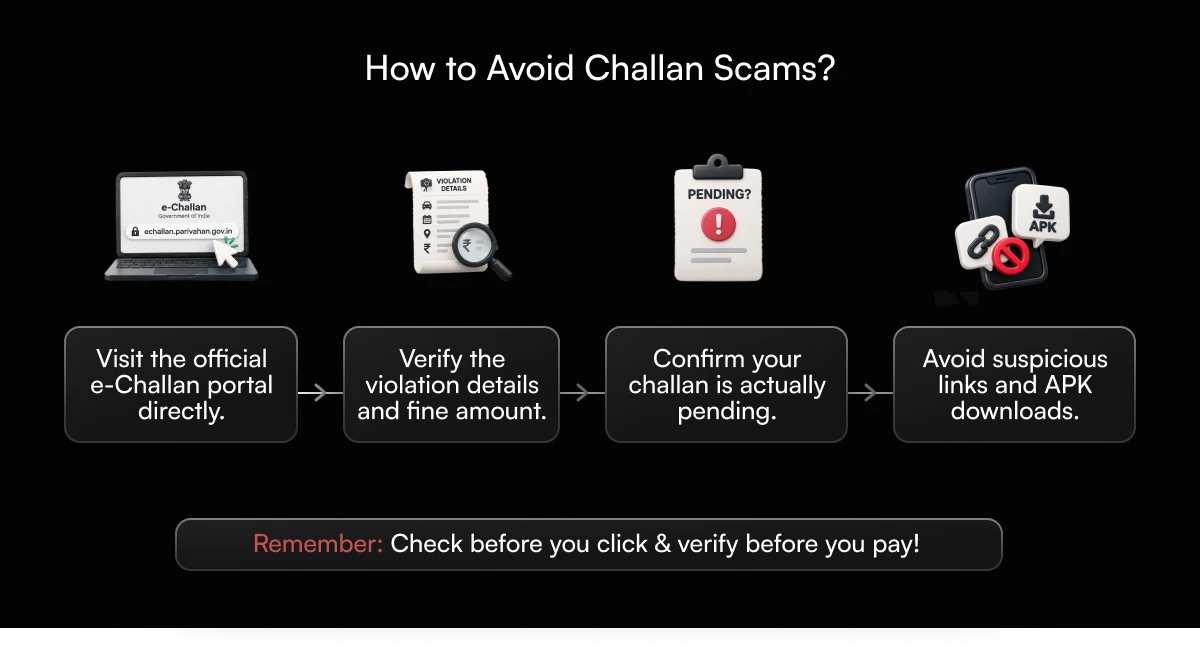
A message saying your challan is pending can feel urgent, especially when it threatens penalties or legal action. Scammers use that urgency to send fake challan SMS messages, WhatsApp links and payment requests.
Read: Spot E-Challan Scams 2026: Avoid Fake Traffic Fines Now
How Do You Confirm a Challan Is Genuine Before Paying?
Before you open a payment link, check that the violation actually exists:
- Visit the official e-Challan portal directly.
- Enter your vehicle or challan number.
- Verify the violation details, date, location and amount.
- Check whether the payment is truly pending.
- Do not download APK files or open unfamiliar payment websites.
A fake e-challan website can closely copy a government portal, so do not rely on its appearance. If you are wondering whether a challan link is real, skip the link and open the official website yourself.
Which Payment Methods Are Safest?
Use payment options provided directly through verified government portals or legitimate authorised payment platforms. Depending on the portal, these may include UPI, net banking, debit cards or credit cards. Whichever you use:
- Check the website address before paying
- Verify the payment details
- Never share your UPI PIN or OTP with anyone
- Avoid sending money to personal UPI IDs shared through messages
- Save the payment receipt after the transaction
A UPI PIN is needed to authorise a payment, never to receive a refund. If a message asks you to enter your PIN to get a challan refund, treat it as a scam.
How Can You Track Challan Status Without Checking Portals Again and Again?
Checking several websites every time you want to know whether a challan is pending gets tiring. Having your vehicle information in one place helps. With MyMotor, you can search challans using your vehicle number, view available challan details and check their status. MyMotor also provides challan status updates, so you stay informed about pending and paid challans. Instead of relying on an old SMS or payment screenshot, you can see the latest available information for your vehicle.
If you have already paid and the official record still shows pending, verify the transaction through the relevant government portal or your payment provider. A quick check today can save you trouble with an unpaid challan later. Download the MyMotor app and stay updated on your vehicle's challan status.