
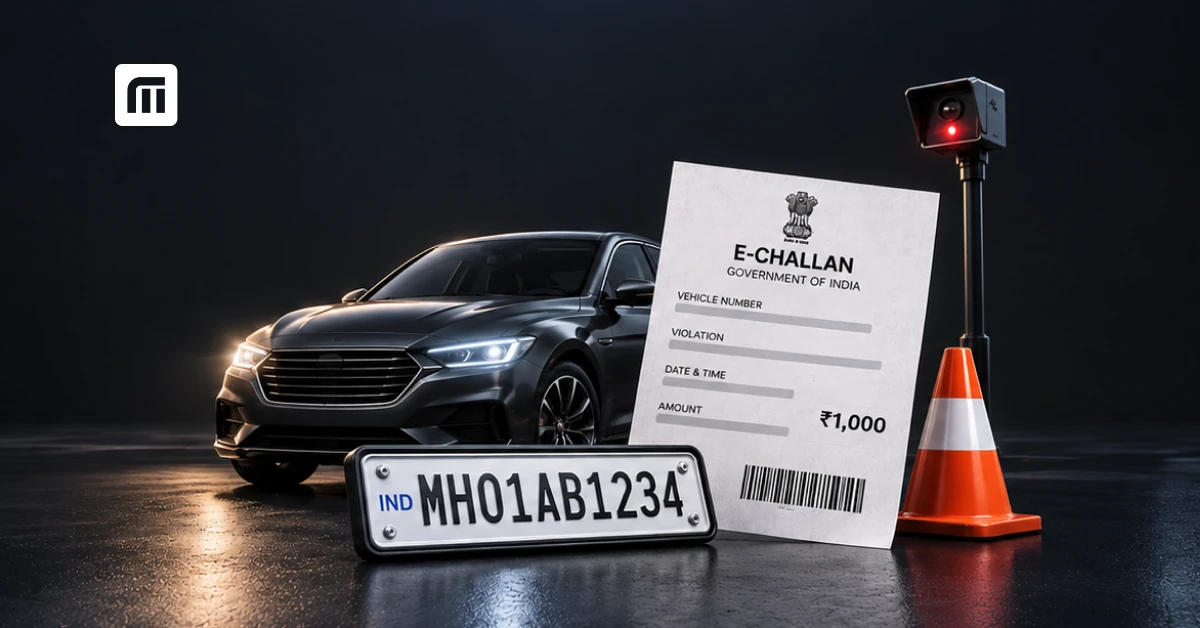
If you've ever wondered whether you have a pending fine sitting quietly against your car or bike, the fastest way to find out is a simple e challan check by vehicle number. In this guide, you'll learn exactly how to check challan online, understand what each challan status means, and pay pending fines in under two minutes - no RTO visit required.
check your e-challan status instantly on mymotor
What Is an E-Challan and Why Should You Check It Regularly?
An e-challan is a digital traffic fine issued electronically by the traffic police or RTO when a vehicle violates a traffic rule captured either manually by an officer's handheld device or automatically via CCTV/ANPR cameras. Not like the old paper challan system, e-challans are logged directly into a central database the moment they're issued, which means they can pile up unnoticed if you don't check periodically.
Common reasons an e-challan gets issued:
- Overspeeding (camera-detected)
- Signal jumping / red light violation
- No helmet or seatbelt
- Triple riding
- Driving without valid documents (RC, DL, insurance, PUC)
- Wrong parking or no-entry violation
How Is E-Challan Different from a Regular Traffic Challan?
A regular (manual) challan is issued on the spot by a traffic constable and often paid immediately. An e-challan, by contrast, can be issued even in your absence for example, by a speed camera and sent to your registered mobile number or address later. This is exactly why doing an e challan check online regularly matters: many vehicle owners aren't even aware a violation was recorded weeks after it happened.
How to Check Vehicle Challan Online by Vehicle Number
You can complete a full e challan check by vehicle number in four simple steps, without logging in or creating an account on most platforms.
- Open a challan-check tool (such as the mymotor e Challan Checker)
- Enter your vehicle's registration number ( eg: DL01AB1234) exactly as printed on your RC.
- Enter the captcha/OTP if prompted.
- Tap "Check Challan" - search your pending and paid challan history appears instantly with challan number, date, violation, amount, and status.
This method works for checking challan online for both two-wheelers and four-wheelers, and pulls live data so you always see the current e-challan status.
Can I Check Challan Online Without the Vehicle Number?
Yes, most portals also allow you to check challan status using the challan number (if you already received an SMS) or your driving licence number. But an e challan check by vehicle number is the most reliable method because it doesn't rely on you having received a notification first - some challans are logged in the system before the SMS/post ever reaches you.
How to Check Challan by Number Plate for Car or Bike
Whether you're doing a car challan check or a bike challan check online, the process is identical only the vehicle number changes.
For a car challan check:
- Use your car's full registration number.
- Cross-check the RC book/e-RC in the app for the exact format (state code + RTO code + series + number).
For a bike challan check online:
- Two-wheelers are just as commonly flagged for e-challans mainly helmet and triple-riding violations.
- Enter the bike's number plate the same way, the bike challan details will show violation type, camera location (if applicable), and fine amount.
"See our dedicated guide on how to check bike challan status"
What Does Each E-Challan Status Mean?
When you check online challan status, you'll typically see one of these four statuses. Understanding them prevents confusion — and, in some cases, prevents you from overpaying or missing a court deadline.
| Status | What It Means | What You Should Do |
| Pending | Fine issued, not yet paid | Pay online immediately to avoid late fees |
| Paid | Fine already settled | No action needed; keep the receipt |
| Disposed / Sent to Court | Violation serious enough (e.g: repeat offence, no valid DL) to require a court appearance | You cannot pay online; must appear before the Virtual/Traffic Court |
| Under Process / Reviewed | Challan is being verified (often camera-based challans) | Recheck after a few days before paying |
What Happens If I Don't Pay a Pending Challan?
An unpaid e-challan doesn't just disappear, most states now attach pending challans to RC renewal, insurance renewal, and even PUC certificate issuance. Some states also add a late-payment surcharge after 60–90 days, and repeated non-payment can lead to the case being forwarded to the Traffic Court, where you'll need to appear in person.
How to Pay Pending Challan Online After Checking
Once your challan check shows a pending amount, paying it takes under a minute:
- Tap on the pending challan from your results.
- Review the violation and fine amount.
- Choose a payment method - UPI, debit/credit card, or net banking.
- Complete payment and download/save the receipt.
Pay your traffic challan securely in one tap using the mymotor Challan Check & Pay tool.
Is It Safe to Pay E-Challan Online?
Yes, as long as you use an official state traffic police portal, the Parivahan e-challan portal, or a verified app that pulls data directly from those government sources rather than a third-party scraping site. Always confirm the challan number and amount match what's shown on the official record before paying.
State-Wise E-Challan Check: Does the Process Differ by State?
The core method of an e challan check by vehicle number is the same everywhere in India, but each state traffic police department runs its own back-end system, so response times and design differ slightly.
[INTERNAL LINK — this paragraph: anchor text "Check your state-specific e-challan page here" → https://mymotor.in/echallan/states (state hub page linking to Delhi, Maharashtra, Karnataka, UP, etc. state challan pages)]
If you know your state, jump directly to your state's challan page for faster, localized results — for example:
- Delhi e-challan check
- Maharashtra e-challan check
- Karnataka e-challan check
- Uttar Pradesh e-challan check
How Often Should You Check Your Traffic Challan Status?
For most vehicle owners, checking once a month is enough — but you should always do an immediate e challan check online in these situations:
- Right after a long drive through a new city or highway (camera-heavy stretches)
- Before renewing your car or bike insurance
- Before RC renewal or transfer
- Before selling your vehicle (unpaid challans can delay the ownership transfer)
Learn how pending challans affect your car insurance renewal
Quick Recap: E-Challan Check by Vehicle Number
- An e-challan check by vehicle number is the fastest, most reliable way to know your real challan status — faster than waiting for an SMS.
- You can check challan online for both car and bike using just the registration number.
- Statuses to know: Pending, Paid, Disposed/Court, Under Process.
- Pay pending challans quickly to avoid late fees and blocks on RC/insurance renewal.
- Use the anchor text "mymotor e-Challan Check & Pay tool" → or "download the mymotor app" → to check and pay in one place.