
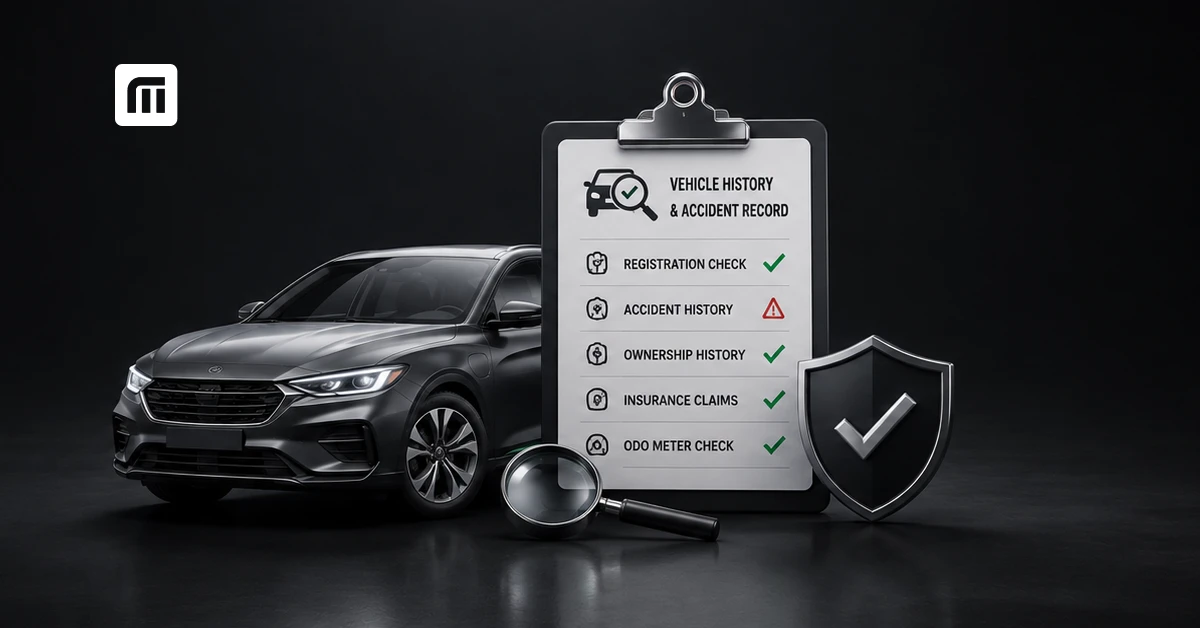
Thinking of buying a used car? Don't stop at clean paint, low kilometres or a good price. You don't need to create an account or wade through ads - a simple registration-number search can pull key vehicle details. For accident history, though, combine online records with insurance, service history and a physical inspection before you buy. Let's get into it.
Why Should You Check a Used Car's Accident History Before Buying?
A minor bumper repair isn't necessarily a reason to reject a used car. The real concern is undisclosed major accident damage. A serious crash can affect the chassis, suspension, airbags, alignment and other safety-critical components. Even after multiple repairs, these problems may not be obvious during a quick test drive.
Checking the used car's accident history helps you understand what you're actually buying and gives you more information to negotiate the price or walk away.
What Risks Does an Undisclosed Accident Pose to a Buyer?
Hidden accident damage can lead to:
- Structural or chassis problems
- Poor wheel alignment or uneven tyre wear
- Improperly repaired or replaced airbags
- Electrical issues
- Water leakage or corrosion
- Higher maintenance expenses later
- Lower resale value
Don't judge a used car only by how clean and fresh it looks. A detailed check matters far more for your safety and your negotiating position.
How Common Are Accident-Repaired Cars in India's Used Car Market?
There isn't a single official nationwide figure showing what percentage of used cars in India are accident-repaired which is exactly why buyers should verify each vehicle individually. Cars move between owners, dealers and cities, while repairs may happen at authorised workshops, independent garages or local body shops. Not every repair shows up in any one online database. Treat a "zero accident" claim as something to verify, never something to accept at face value.
What Is a Vehicle History Report and What Does It Include?
A vehicle history report brings together available information about a car's past. Depending on the service and available data, it can include:
- Registration and RC status
- Vehicle make and model
- Registration date
- Ownership-related information
- Insurance status
- Hypothecation or loan details
- Pending challans
- PUC status
- Available accident, claim or service information
No single report contains a car's complete history, that's the limitation to remember before you pay for one.
What Details Does an Accident History Report Actually Show?
An accident history report may show reported accidents or insurance claims where the provider has access to those records. Depending on the source, you might find previous claims, repair events or damage records. The important limitation: not every accident creates a digital record. If the owner paid for repairs personally, or used a workshop whose records aren't shared with the service you're checking, the accident simply won't appear. That's why an online report should always be paired with a physical inspection.
Accident History vs Ownership, Loan and Challan History - What's the Difference?
| Check | What it tells you | Where it typically comes from |
| Accident history | Whether there's evidence of prior damage or a crash | Insurance claim data, private report providers, workshop records (incomplete) |
| Ownership history | The vehicle's registration and ownership trail | RC/VAHAN records |
| Loan/hypothecation status | Whether a financier's interest is recorded against the vehicle | RC/VAHAN records |
| Challan history | Pending traffic challans linked to the vehicle | RTO/traffic police databases |
You should ideally check all four before buying each answers a different question, and none substitutes for the others.
How Can You Check a Used Car's Accident History Online in India?
There isn't one government portal that shows a complete used car accident history. You need to combine vehicle records, insurance details, service history and a physical inspection. MyMotor's registration-number search makes the basic checks easier by pulling RC details, RTO status, insurance validity and challan history in one search, using government-verified VAHAN data.
How to Check Accident Records via the VAHAN/Parivahan Portal
Use the official Parivahan/VAHAN vehicle details service to verify registration status, insurance, PUC, hypothecation and challan information. VAHAN does not show a complete accident or insurance-claim history, so use it mainly to verify official records and catch discrepancies.
How Does the IIB V-Seva Portal Reveal Insurance Claim History?
Insurance databases can help verify a vehicle's insurance background, but a registration-number search alone won't tell you every past claim. For a clearer insurance claim history, ask your seller for previous policy documents, claim records and repair invoices, and verify anything doubtful with the insurer where possible. If the seller says the car has never had a claim, ask for proof rather than relying on their word.
Which Third-Party Vehicle History Report Services Are Reliable?
Many private platforms offer vehicle history reports in India, but depth of coverage varies widely. Before paying, check:
- Where the data comes from
- What records are included
- How recently the data was updated
- Whether accident or claim details are actually covered
- Whether the provider clearly discloses missing records
A paid report can help, but it should never replace a proper physical inspection.
How to Pull Ownership, RC & Challan Details Instantly on MyMotor
With MyMotor, you can check ownership, RC and challan details through a simple registration-number search. You'll see RC information, RTO status, insurance validity and pending challans in one place, making it easy to spot red flags before buying. For accident damage specifically, combine these digital checks with insurance records, service history and a professional inspection.
What Are the Physical Signs of a Previously Accident-Damaged Car?
Online records can tell you a lot - the car itself can tell you more. Inspect it in daylight and avoid checking when it's wet or poorly lit, since paint differences are much harder to spot in bad light.
How to Spot Paint Mismatch and Uneven Panel Gaps
Walk around the car slowly and compare panels. Look for:
- Slight differences in paint shade
- Overspray around rubber seals
- Uneven gaps between doors, bonnet and fenders
- Different paint texture on neighbouring panels
- Fresh paint on an otherwise older vehicle
- Tool marks or disturbed bolts around panels
One repainted panel isn't necessarily a problem - multiple, poorly aligned panels can indicate real damage.
What Does an Odometer-to-Service-Record Mismatch Indicate?
Compare the odometer reading with:
- Authorised service records
- Previous service invoices
- Insurance documents
- Tyre condition
- General wear inside the cabin
Extremely worn pedals, steering wheel and seats on a supposedly low-mileage car is a reason to look further. A mismatch doesn't prove odometer tampering, but it's a real red flag.
How to Inspect the Chassis and Underbody for Structural Damage
This is where a professional inspection becomes genuinely valuable. Ask a trusted mechanic to check:
- Chassis rails
- Welds and seams
- Suspension mounting points
- Underbody deformation
- Rust or corrosion
- Non-factory welding
- Uneven repairs or sealant
Major structural repairs affect both safety and long-term value.
How to Verify Insurance Claim History Before Buying?
Ask your seller for their previous insurance policy and available claim or repair records. Check whether the policy details match the vehicle's registration, chassis and other documents, and ask specifically whether the car has had any own-damage claims. Past claim experience is one factor insurers may weigh when pricing own-damage cover.
What Is IDV and How Does a Past Claim Affect It?
IDV (Insured Declared Value) is the insured value of the vehicle for own-damage purposes, and should broadly reflect its current market value. Don't assume one accident claim permanently reduces IDV by a fixed percentage - IDV depends on the vehicle's age and valuation, and insurers may factor in previous claims when pricing cover. Compare current IDV against the car's age, condition and market value rather than treating IDV alone as proof of an accident.
How to Check If the Seller's Insurance Policy Is Still Active
Check the insurance expiry date shown in VAHAN/mParivahan records and compare it with the policy the seller provides. Also verify:
- Registration number
- Insurer
- Policy period
- Vehicle details
- Type of cover
If the current policy has lapsed or is expiring within 30 days, factor the cost of a fresh policy into your negotiation. Once the RC transfer is complete, you can buy or renew car insurance on MyMotor in about 2 minutes.
What Documents Should You Ask the Seller for Before Paying?
Don't transfer the full amount just because the test drive went well. Ask for RC, PUC and insurance documents first, and verify them against the vehicle for better safety and pricing power.
Why the RC (Registration Certificate) Is the First Document to Verify
The RC confirms the vehicle's official registration details. Make sure registration number, make and model, fuel type, registration date and chassis details match the car you're inspecting. Also check hypothecation status, if the loan has been repaid but the financier is still listed on the RC, ask the seller to get it removed before transfer.
How to Check Pending Challans Before Finalizing the Deal
Always check for pending challans using the vehicle registration number before finalising the deal. Unpaid fines can complicate ownership transfer, so ask your seller to clear them first or adjust them into the final price. With MyMotor, you can check and pay pendind challans and if you want the fuller playbook on disputing or clearing challans, our e-challan guide walks through that in more depth.
Why You Should Also Verify PUC Certificate Validity
For vehicles that need a Pollution Under Control certificate, check whether it's valid. This gives you one more way to confirm the seller's documents and official vehicle records are consistent.
Used Car Accident History Check: Step-by-Step Checklist
Before paying for a used car, run through this checklist:
- Check the registration number and RC details.
- Verify the seller's identity against the vehicle documents.
- Confirm ownership, registration and hypothecation status.
- Check insurance validity and ask for past policy or claim records.
- Check for pending traffic challans.
- Verify PUC validity, where applicable.
- Review authorised service history and repair invoices.
- Compare service records with the odometer reading.
- Inspect paintwork, panel gaps, chassis and underbody for signs of repair.
- Check that airbags and warning lights are functioning properly.
- Take a proper test drive.
- Get an independent pre-purchase inspection.
- Complete the ownership transfer promptly after purchase.
If you're comparing more than one car, add each registration number to your MyMotor Garage - it keeps RC status, insurance validity and challan history for every car side by side, so you're not re-searching each one from scratch.
How Much Does a Vehicle History or Accident Report Cost in India?
There's no single standard price. Basic government vehicle information is often available online at no cost, while private providers may charge for more detailed reports - the price depends on the provider and the depth of information. Before paying, check exactly what you're getting: a report with only basic registration information isn't the same as a detailed accident-and-claim history report.
Check Before You Buy, Not After
A shiny used car isn't necessarily a clean-history car. Before you pay, verify the RC, ownership details, insurance status, challans and available vehicle history, then back those checks up with service records and a professional inspection.
MyMotor's VAHAN-linked search has already been used to check over 50M vehicles. Run the same check on the car you're about to buy, and know what you're getting into before you pay. (For the full picture of what else MyMotor covers beyond this one check, see our introduction to the platform.)