
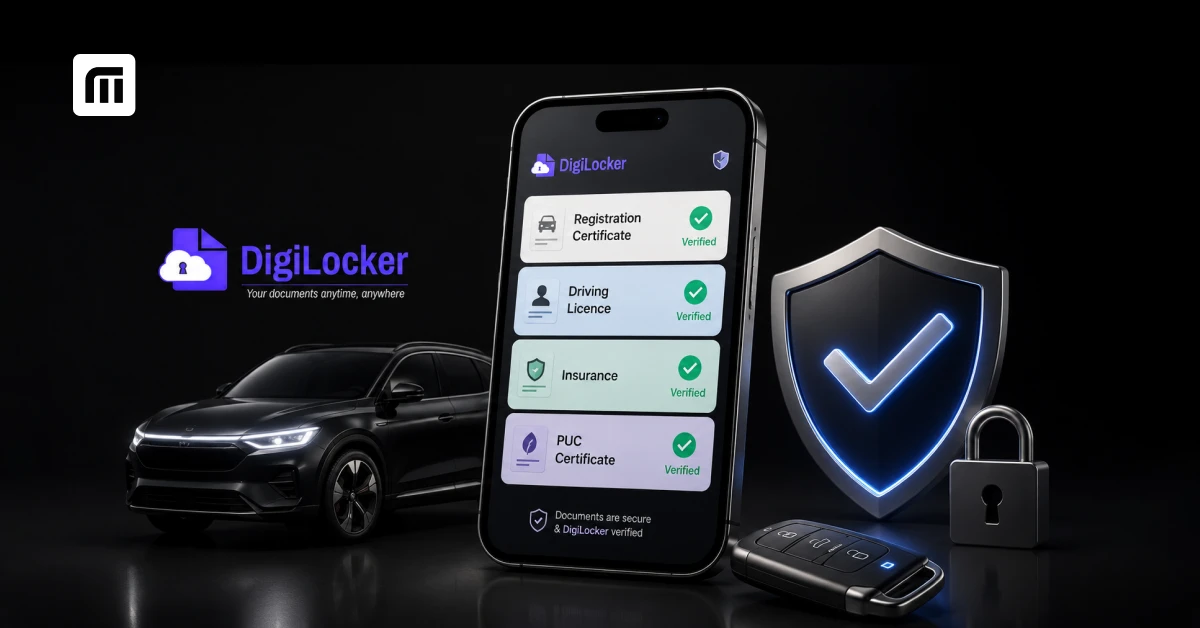
Rummaging through a glovebox for your RC, then your insurance paper, then realising your PUC expired last month - this is exactly the hassle DigiLocker was built to end.
In 2026, your Registration Certificate (RC), Driving Licence (DL), insurance certificate, and PUC (Pollution Under Control) certificate can all live inside one government-backed app, verified, tamper-proof, and accepted by traffic police nationwide. This guide covers what DigiLocker actually does, whether it's truly legally valid, and exactly how to get each vehicle document onto it.
You can also mirror all of this into MyMotor's Glovebox, which pulls your DigiLocker-verified documents into one dashboard alongside challan alerts and renewal reminders.
What Is DigiLocker and Why Does It Matter for Vehicle Documents?
DigiLocker is the Government of India's official cloud-based document locker, run by the Ministry of Electronics and Information Technology under the Digital India programme. It links to your Aadhaar number and lets you fetch government-issued documents - RC, DL, PUC, insurance, academic certificates, and more - directly from the issuing authority's database (in this case, the Ministry of Road Transport and Highways' VAHAN and Sarathi systems).
Why it matters for vehicle owners specifically:
- No more panicking over a misplaced RC booklet or a faded PUC printout
- Documents are fetched directly from the RTO's own records, so they can't be forged or edited
- One app covers every vehicle you own, and every document tied to it
- Documents remain valid and accessible even if your phone is offline for viewing (once downloaded), and instantly refreshable when online
Are Digital Vehicle Documents on DigiLocker Legally Valid in India?
Yes, and this has been the settled position for several years now, not a recent workaround.
In August 2018, the Ministry of Road Transport and Highways issued a clarification confirming that electronic documents stored in DigiLocker and mParivahan are legally valid under the Motor Vehicles Act, 1988 and the Information Technology Act, 2000. The 2019 amendment to the Motor Vehicles Act reinforced this, giving digital RC, DL, insurance, and PUC records the same legal standing as their physical counterparts.
In practice, this means:
- Traffic police and enforcement officers are required to accept your digital documents shown via DigiLocker or mParivahan
- You are not legally obligated to carry printed copies once the digital version is verified and available
- A digital document's status (valid, expired, suspended) is exactly what matters - the format it's shown in does not change your legal standing
One practical tip: keep both DigiLocker and mParivahan installed. Some traffic officers are more familiar with mParivahan specifically, since it's built directly by the road transport ministry and doubles up as a challan and RC lookup tool.
How Do You Add Your Vehicle RC to DigiLocker?
- Open the DigiLocker app or visit digilocker.gov.in
- Sign up or log in using your mobile number linked to Aadhaar, and set a 6-digit security PIN
- Search for "Registration Certificate" or navigate to Ministry of Road Transport and Highways under "Issued Documents"
- Enter your vehicle registration number and chassis number (or engine number, depending on the state)
- Tap "Get Document" - DigiLocker pulls your RC directly from the VAHAN database
- Your e-RC now appears under the "Transport" section, with a QR code officers can scan to verify it instantly
If you'd rather verify your RC details before doing this - owner name, registration date, RC status, insurance validity - you can check your RC details instantly on MyMotor using just your registration number.
For a deeper walkthrough of RC formats, renewal, and transfer, see our complete RC guide. And if your physical RC has actually gone missing, our lost or stolen RC guide walks through the FIR, affidavit, and duplicate-RC process step by step - pulling the e-RC into DigiLocker in the meantime keeps you road-legal while that process runs.
How Do You Add Your Driving Licence (DL) to DigiLocker?
- In the DigiLocker app, search for "Driving Licence" under MoRTH-issued documents
- Enter your DL number and date of birth
- Tap "Get Document" - DigiLocker fetches your DL from the Sarathi portal
- Once fetched, tap "Save to DigiLocker" to keep a permanent, verified copy
A few things worth knowing:
- If your physical DL card hasn't arrived by post yet but your application status shows "Approved" or "DL Printed," you can still download and use the digital version immediately
- There's no limit on how many times you can re-fetch or re-download your DL
- If the details look outdated (old address, old vehicle class), the issue is on the RTO's Sarathi record - get that corrected first, and DigiLocker will reflect it automatically afterward
It's also worth understanding what happens when things go wrong: our guide to digital driving licence impounding rules explains that even a DigiLocker-stored DL can show as "impounded" or suspended if your underlying RTO record is flagged - the app is just a mirror of that record, not a shield against it.
How Do You Store Your Insurance Certificate on DigiLocker?
Unlike RC and DL, your insurance certificate on DigiLocker depends on your insurer having reported the policy to the Insurance Information Bureau (IIB) database, which DigiLocker and mParivahan both draw from.
- Search "Insurance" or your specific insurer's name under Issued Documents in DigiLocker
- Enter your policy number and registration number when prompted
- Fetch and save the document once it appears
If a freshly issued or renewed policy doesn't show up right away, that's normal - insurers typically take a few days to report new policies to the IIB. In the meantime, your insurer's own app, PDF policy copy, or policy QR code is equally valid proof.
Due for a renewal or want to compare insurers before your policy lapses? You can renew your car insurance or renew your bike insurance on MyMotor in a couple of minutes, comparing 20+ insurers side by side. And if you just want to confirm whether your current policy is active before a trip, our guide to checking vehicle insurance status online covers every method - VAHAN, mParivahan, IIB, and DigiLocker.
How Do You Get Your PUC Certificate on DigiLocker?
- Search "Pollution Under Control Certificate" under MoRTH-issued documents in DigiLocker
- Enter your vehicle registration number
- Fetch and save - the certificate pulls directly from the testing centre's record, submitted to VAHAN at the time of your last emission test
A common point of confusion: PUC certificates expire faster than most other vehicle documents (typically every 6-12 months depending on vehicle age and fuel type), so DigiLocker will only ever show your most recent valid certificate - not a permanent one. Even electric vehicles need a PUC-equivalent battery/emission status document in most states, so don't assume EVs are exempt.
For everything else tied to roadworthiness - what a Fitness Certificate covers, how it differs from PUC, and how to renew it - see our vehicle fitness certificate guide.
What Happens If Traffic Police Ask for Documents and You Only Have DigiLocker?
Nothing bad - as long as the documents are actually valid. Since 2018, officers are required to accept digital copies shown via DigiLocker or mParivahan in place of physical ones. Here's how to make the interaction smooth:
- Open the app before the officer reaches your window, not after - fumbling with logins under pressure slows things down
- Show the document with its QR code visible; most enforcement scanners can verify it in seconds
- If an officer insists on a physical copy despite a valid digital one, you can politely reference the 2018 MoRTH clarification and the 2019 Motor Vehicles Act amendment
- Keep your phone charged and DigiLocker's PIN memorized - a dead phone at a checkpoint defeats the purpose
Riders of e-scooters and e-bikes have their own document checklist worth knowing, since green-plate EVs still need RC, DL, insurance, and PUC - see our guide to mandatory documents electric two-wheeler riders must carry.
Can a Digital RC or DL Still Be Suspended, Blacklisted or "Impounded"?
Yes - and this catches a lot of people off guard. DigiLocker and mParivahan are mirrors of your official RTO record, not separate databases. If your RC or DL is flagged, suspended, or blacklisted at the source (unpaid challans past the deadline, a court order, a licence suspension after a violation), that status shows up identically in your digital copy.
Showing a digitally "impounded" or suspended document during a check is still treated as non-compliance - the digital format doesn't override the underlying legal status. This is why clearing pending challans promptly matters: unresolved e-challans are one of the most common reasons an RC or DL gets blacklisted on the Parivahan portal, blocking insurance renewal, fitness certificate issuance, and more until dues are cleared.
If you're not sure whether you have anything pending, you can check and pay any pending challan on MyMotor in under a minute.
DigiLocker vs mParivahan vs MyMotor Glovebox: What's the Difference?
All three can show a valid digital RC or DL - but they're built for slightly different jobs.
| Feature | DigiLocker | mParivahan | MyMotor Glovebox |
| Issuing authority link | Direct, government-run | Direct, built by MoRTH/NIC | Pulls from DigiLocker via consent |
| Documents covered | RC, DL, PUC, insurance, and non-vehicle docs (academic, etc.) | RC, DL, virtual RC, challan status | RC, DL, insurance, PUC, fitness certificate - vehicle-only |
| Challan payment | No | Limited | Yes, integrated with lowest-fee payment |
| Renewal reminders | No | No | Yes, automatic reminders before expiry |
| Multi-vehicle management | Manual, one document at a time | Basic | Yes, organised by vehicle in one Garage view |
| Best for | The single most "official" copy to show an officer | On-the-spot verification, since officers know it well | Day-to-day tracking, reminders, and one-tap access across all your vehicles |
In practice, most owners keep DigiLocker or mParivahan as the legally recognised copy to show during a check, and use something like MyMotor's Glovebox to actually stay on top of renewals before documents lapse in the first place.
What Documents Should Every Vehicle Owner Keep on DigiLocker?
At minimum:
- Registration Certificate (RC) - proves your vehicle is registered and roadworthy on paper
- Driving Licence (DL) - proves you're legally permitted to drive that vehicle class
- Insurance Certificate - at least third-party liability is mandatory under the Motor Vehicles Act
- PUC Certificate - required at routine checks and renewals, including for EVs in most states
- Road Tax Receipt, where applicable - some states ask for this alongside RC during checks
- Government ID (Aadhaar, Voter ID) - for identity verification alongside vehicle documents
Keeping all five current and synced means a routine traffic stop takes thirty seconds instead of turning into a debate.
How Do You Fix Errors or Missing Documents in DigiLocker?
DigiLocker only displays what the source database (VAHAN or Sarathi) has on file - it can't fix errors on its own. If something's wrong or missing:
- Wrong details on RC/DL: Get the correction filed at your RTO first through the appropriate form (address change, name correction, etc.). DigiLocker will reflect it automatically once the RTO updates its record - this can take a few days to a couple of weeks.
- Insurance not showing up: Confirm with your insurer that the policy was reported to the IIB. New or recently renewed policies can take a few business days to sync.
- PUC missing after a fresh test: Check with the testing centre that your result was uploaded to VAHAN. Not all testing centres are equally prompt.
- Document simply won't fetch: Double-check you're entering the exact registration number, chassis number, or DL number as printed - a single mismatched character will return no results.
Want every renewal reminder, challan alert, and DigiLocker-verified document in one dashboard? Download the MyMotor app and let Glovebox handle the tracking while you handle the driving.